Posts

How do I make doctrine support timestamp columns

Problem:  [Doctrine\DBAL\DBALException]   Unknown column type "timestamp" requested. Any Doctrine type that you use has to be registered with \Doctrine\DBAL\Types\Type::addType(). You can get a list of all the known types with \Doctrine\DB   AL\Types\Type::getTypesMap(). If this error occurs during database introspection then you might have forgot to register all database types for a Doctrine Type. Use AbstractPlatform#registerDoctrine   TypeMapping() or have your custom types implement Type#getMappedDatabaseTypes(). If the type name is empty you might have a problem with the cache or forgot some mapping information. Solution: For everyone who is still coming across this issue via Google or something, there currently is an official way to support this. See this part of the docs. Basically, you need to add the following to your config/database.php file: 'dbal' => [     'types' => [         'timestamp' => Times...
[6.0] Where is the command app:name?

Problem The app:name command, no longer available in laravel 6.0, there is some way to change the namespaces, as was being done with that command in all the necessary files. Solution  Go to the following link and follow the steps  (If link not working), code is present in below. https://gist.github.com/isluewell/b824c0aef32f5007170fcd0d8498b657 First we create the command with php artisan make:command AppName Then we replace the content created in the file app/Console/Commands/AppName.php with the content of the gist. and then use it in the usual way, changing "something" for the name of your application. php artisan app:name <something>  replace something with your required name ... <?php namespace App\Console\Commands; use Illuminate\Console\Command; use Illuminate\Support\Composer; use Symfony\Component\Finder\Finder; use Illuminate\Filesystem\Filesystem; use Symfony\Component\Console\Input\InputArgument; class AppName extends Command { /** * The con...

The most common HTTP Status codes

As we write API calls, we've also added t he status codes  to our endpoint response.  This lets us explicitly return JSON data and send an  HTTP  code the client can parse.  The most common codes you’ll be returning will be: 200: OK. The standard success code and default option. 201: Created. Object created. Useful for the store actions. 204: No Content. When the action was executed successfully, there is no content to return. 206: Partial Content. Useful when you have to return a paginated list of resources. 400: Bad Request. The standard option for requests that cannot pass validation. 401: Unauthorized. The user needs to be authenticated. 403: Forbidden. The user is authenticated but does not have permission to perform an action. 404: Not Found. Laravel will return automatically when the resource is not found. 500: Internal Server Error. Ideally, you will not be explicitly returning this, but if something unexpected breaks, this is what your use...

How to Install Multiple PHP(7.3 and 8) Versions on Ubuntu > 20

Image
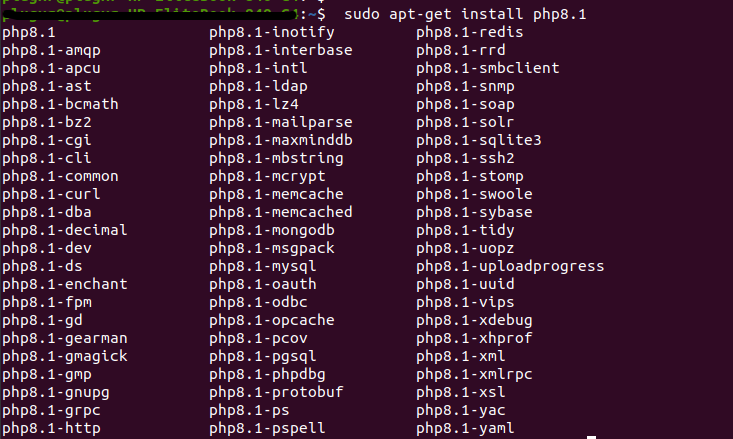
 Step 1: System Update First, log in to Ubuntu via console. Then update the Apt cache and upgrade the current packages of the system using the following command: sudo apt-get update sudo apt-get upgrade  When prompted, press y to confirm the installation. Step 2: Installing Multiple PHP Versions on Ubuntu > 20 The easiest way to install multiple versions of PHP is by using the PPA from Ondřej Surý, who is a Debian developer. To add this PPA, run the following commands in the terminal. The software-properties-common package is needed if you want to install software from PPA. It’s installed automatically on the Ubuntu desktop but might miss on your Ubuntu server. sudo apt install software-properties-common sudo add-apt-repository ppa:ondrej/php sudo apt update The SURY repository contains PHP 8.1, 8.0, 7.4, 7.3, 7.2, 7.1, 7.0 & PHP 5.6. As the latest stable version of PHP is 8.0, but many websites still required PHP 7. You can install any of the required PHP versions on y...

Run Composer versions 1 and 2 simultaneously

Composer 2 is great. But it is not compatible with PHP versions lesser than 7.2. So if you're maintaining legacy projects that require older PHP versions, like PHP 7.1, you run into errors like this: PHP Fatal error: Composer detected issues in your platform: Your Composer dependencies require a PHP version ">= 7.2.0". You are running 7.1.33. If you want to be able to run Composer 1 and 2 next to each other, you can install them both. Install Composer globally, following the instructions from https://getcomposer.org/doc/00-intro.md#installation-linux-unix-macos .  This will install the latest Composer 2 version in /usr/local/bin . (on Mac you can simply run brew install composer ) Move composer to composer2: mv /usr/local/bin/composer /usr/local/bin/composer2 CD to the /usr/local/bin/ folder: /usr/local/bin/ Download the latest V1 version from https://getcomposer.org/download/1.10.17/composer.phar : wget https://getcomposer.org/download/1.10.17/composer.phar Make the...

How to send an attachment from request to mail without first saving it to storage?

How to send an attachment from request to mail without first saving it to storage? public function build(){      $email = $this->from('mymail@gmail.com')                            ->view('emails.contact');        foreach(request()->file() as $file) {                    $email->attach($file->getRealPath(), [                   'as' => $file->getClientOriginalName(),                   'mime' => $file->getMimeType(),          ]);      } } return $email; You can see it in the documentation https://laravel.com/docs/9.x/mail#attachments

Check Laravel JWT token is valid or not

Create Middleware using the below command Command: php artisan make:middleware JwtMiddleware Paste the below code: <?php namespace App\Http\Middleware; use Closure; use JWTAuth; use Exception; use Tymon\JWTAuth\Http\Middleware\BaseMiddleware; class JwtMiddleware extends BaseMiddleware {     /**      * Handle incoming requests.      * @param  \Illuminate\Http\Request  $request      * @param  \Closure  $next      * @return mixed      */     public function handle($request, Closure $next)     {         try {             $user = JWTAuth::parseToken()->authenticate();         } catch (Exception $e) {             if ($e instanceof \Tymon\JWTAuth\Exceptions\TokenInvalidException){                 return response()->json(['st...